After-Hours Lead Response

After-Hours Roofing Leads: What to Send Before the Office Opens

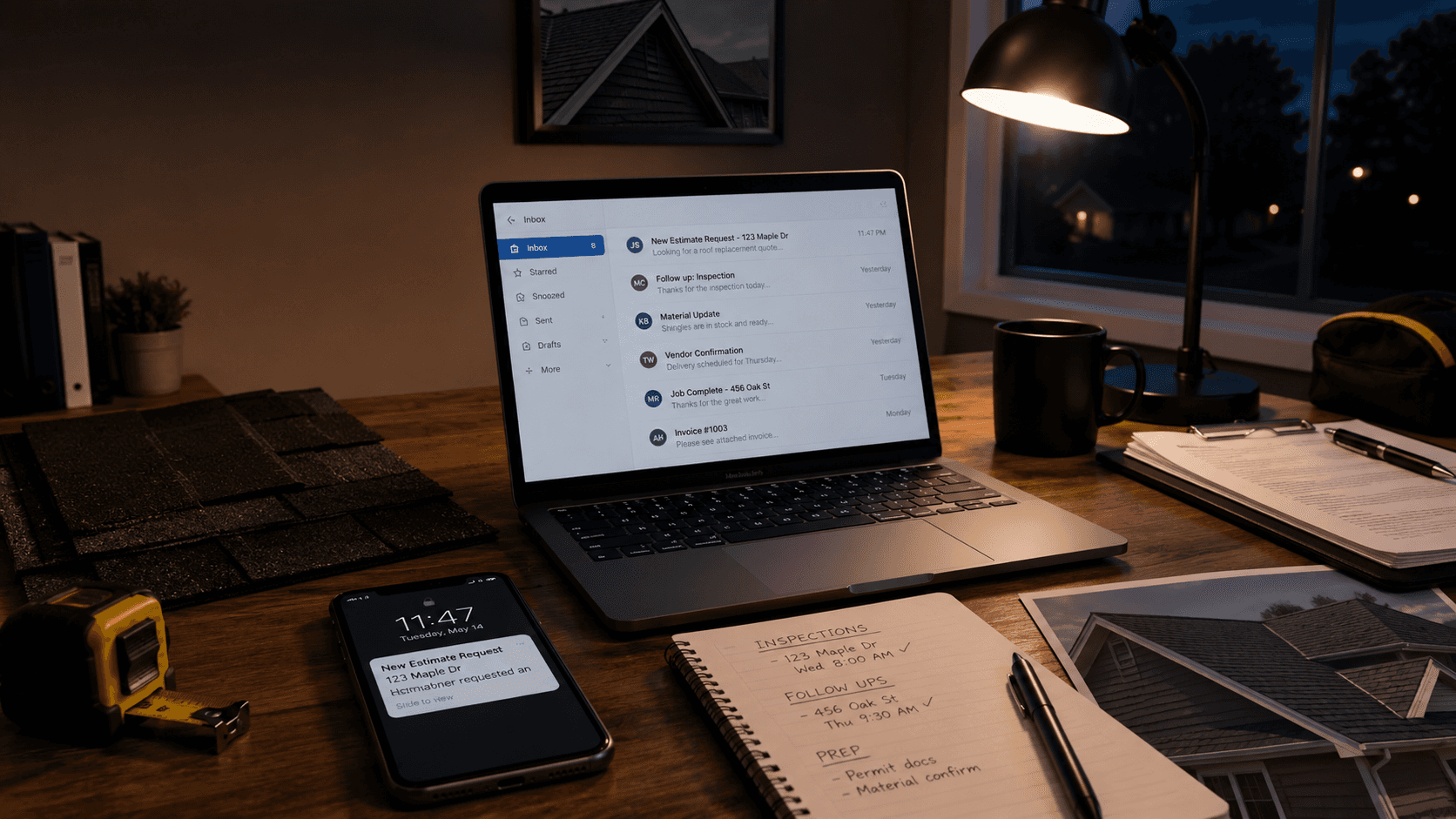
After-hours roofing office desk with a laptop inbox, phone estimate request, inspection notes, shingles, and tape measure.
Date

Author

LumioForge Roofing Response Team

After-Hours Roofing Leads: What to Send Before the Office Opens

A roofing lead does not always arrive when the office is open.

Sometimes it comes in after dinner. Sometimes it comes in during a storm. Sometimes a homeowner fills out a form at 10:41 p.m. because they finally noticed the stain on the ceiling, the missing shingles, or the drip near a light fixture.

The problem is not that the roofing team is lazy. The problem is that after-hours requests often land in a place where nobody is watching closely: a website form inbox, a CRM notification, a personal email address, a missed call, or a message thread that only one person sees.

By the time the office opens, the homeowner may still be interested. But they may also have contacted two other roofing companies.

This article is a practical guide for setting up a simple after-hours response flow: what to send, what not to send, how to hand it off in the morning, and how to avoid turning follow-up into noise.

If you are not sure where your current process is leaking, start with the Free Roofing Lead Response Audit. It checks first reply speed, after-hours acknowledgment, follow-up, stop-on-reply, reply visibility, escalation, and review requests.

Why after-hours lead response matters

Speed matters in most service businesses because the homeowner’s attention is highest right after they ask for help. General lead-response research has warned for years that many companies do not respond to online inquiries fast enough, and that delay can weaken the chance of connecting with the prospect. That research is not roofing-specific, so it should not be treated as a roofing conversion guarantee, but the operational lesson is still useful: the longer a new request sits untouched, the easier it is for the conversation to go cold. See Harvard Business Review’s article, The Short Life of Online Sales Leads, for the general research background.

For roofers, the after-hours window is especially important because the homeowner’s reason for reaching out may feel urgent to them. They may not know whether the roof is actively leaking, whether more rain is coming, whether insurance should be involved, or whether they need someone to inspect it before the damage gets worse.

Your after-hours reply does not need to solve all of that immediately.

It just needs to confirm that the request was received, set the next expectation, collect the right information, and make sure the conversation is ready for the office to handle.

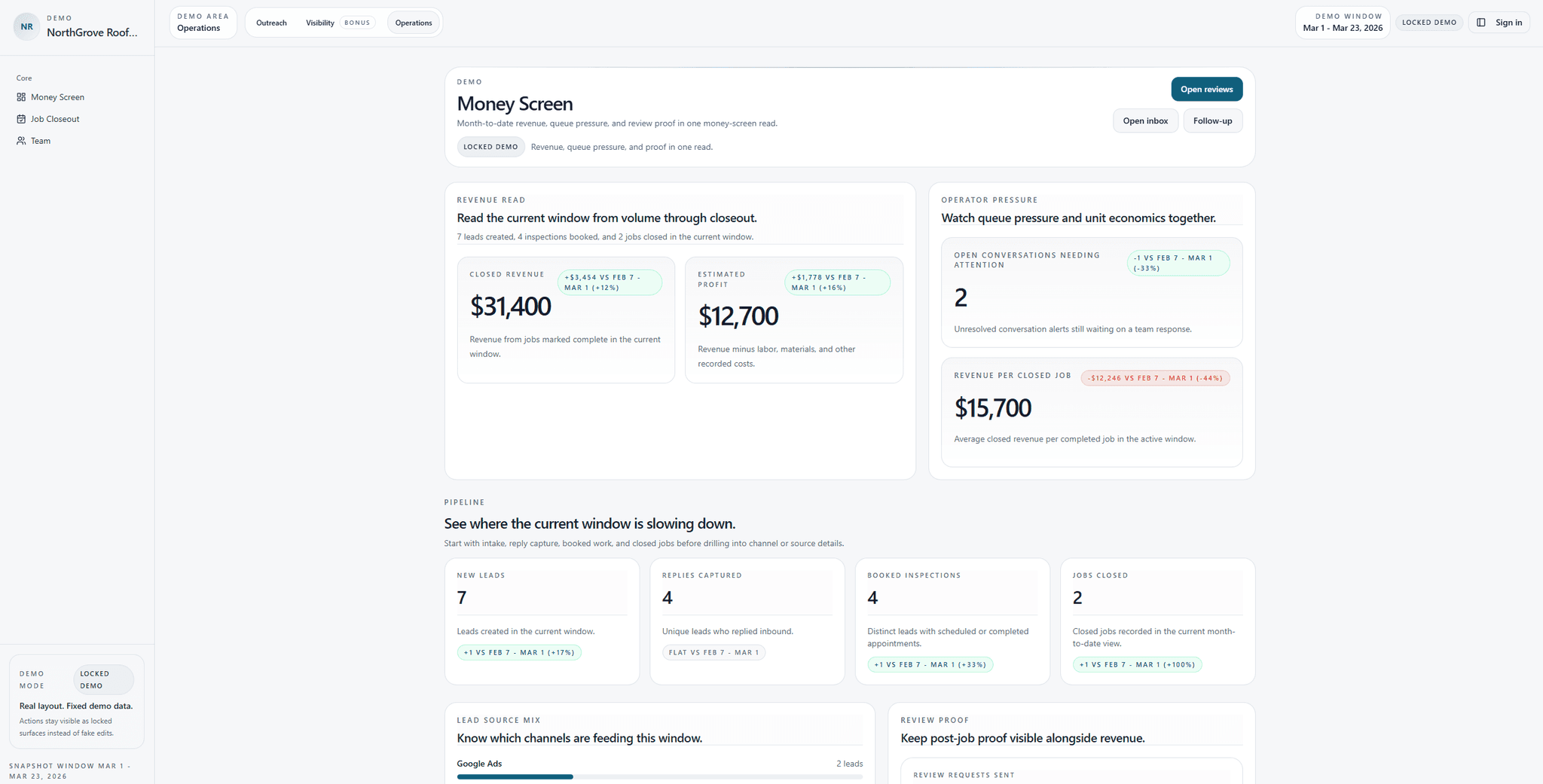
That is the gap LumioForge is built around: the space between a new estimate request, fast first response, consistent follow-up, homeowner reply, office handoff, booked inspection, and later review request. You can see the full workflow here: How the Roofing Response Engine Works.

The goal is not to “sell” at midnight

A good after-hours response should not feel like a hard sales message.

The homeowner is not asking for a marketing drip campaign. They are asking whether someone saw their request and what happens next.

The best after-hours flow does five simple jobs:

  1. Confirms the request came through.

  2. Tells the homeowner when the team will respond.

  3. Asks for useful details without creating friction.

  4. Gives urgent-case instructions if needed.

  5. Routes the conversation to the right person the next morning.

That is it.

The goal is not to replace your office manager, estimator, or sales rep. The goal is to prevent silence from becoming the first impression.

Quick check: If your company gets website estimate requests after hours, do those requests get acknowledged automatically, or do they wait until someone checks the inbox the next morning?

If you are not sure, take the Free Roofing Lead Response Audit and look specifically at the after-hours, follow-up, and reply-handling questions.

What the first after-hours message should say

The first message should be short, calm, and specific.

It should answer the homeowner’s immediate questions:

  • Did they get my request?

  • When will someone contact me?

  • What should I send if this is urgent?

  • What happens next?

Here is a simple email version:

Subject: We received your roofing request

Hi {{ homeowner_first_name }},

Thanks for reaching out. We received your roofing request and our team will review it when the office opens.

If this is related to an active leak or storm damage, please reply with a few photos and the best number to reach you. That will help us understand what is going on before we call.

Someone from our team will follow up as soon as we can during business hours.

Thank you,
{{ roofing_company_name }}

This works because it does not overpromise. It does not pretend someone is available if nobody is. It does not force the homeowner into a scheduling link before the office has reviewed the request. It simply keeps the conversation alive.

Want this after-hours response flow set up around your actual lead sources?
Apply for the Free Roofing Pilot. LumioForge will map your intake sources, set up the first email-first response flow, add follow-up with stop-on-reply logic, and test the office handoff before launch.

What to avoid in the first reply

The worst after-hours replies are usually not “bad” because the wording is terrible. They are bad because they create confusion.

Avoid messages like:

“We’ll get back to you soon.”

That is too vague. “Soon” could mean 10 minutes, tomorrow morning, or next week.

Avoid this too:

“Book your inspection here.”

That can work in some flows, but it can also create problems if the calendar is not accurate, the job needs triage, or the company does not really want homeowners self-booking without a quick call.

Also avoid long paragraphs about the company’s history, awards, financing, warranties, and service area. Those things may matter later. The first after-hours reply should be about the homeowner’s request, not the company’s brochure.

A simple after-hours roofing lead flow

You do not need a complicated system to improve after-hours response.

Start with this basic flow:

Step 1: New request comes in

The request might come from a website form, quote form, landing page, email, Google Business Profile, paid ad landing page, referral page, or a form on your own site.

The important thing is that every source has a clear destination. If one lead goes to the office inbox, another goes to the owner’s phone, and another goes into a CRM nobody checks after 5 p.m., the process will break.

If you have multiple lead sources and do not know where each one goes, start by mapping them. The Free Roofing Lead Response Audit is a good first step because it forces you to check whether replies, follow-ups, and handoffs are actually visible.

Step 2: Send a fast acknowledgment

The acknowledgment should go out quickly enough that the homeowner knows the request was not lost.

This can be email-first. SMS can be useful, but only when your forms, consent language, and opt-out handling are set up properly.

For email, make sure the message is honest, clearly identifies your business, and gives the homeowner a way to opt out of future marketing messages when needed. The FTC’s CAN-SPAM Act compliance guide explains requirements for commercial email, including accurate sender information, non-deceptive subject lines, a valid physical address, and a way to opt out.

For SMS, be careful with consent and opt-out handling. The FCC has addressed consent and revocation rules for robocalls and robotexts under the TCPA. This is not legal advice, but it is a good reason to avoid casual mass texting unless your process is set up properly. See the FCC’s TCPA consent and revocation order for the official rule background.

LumioForge’s first pilot can start email-first so the response flow can be tested before adding extra SMS cost or complexity. You can see what is included here: Free Roofing Pilot.

Step 3: Separate urgent from normal

Not every after-hours request is urgent.

A homeowner asking for a roof replacement estimate next month is different from a homeowner saying water is coming through the ceiling.

The after-hours message can ask for photos and a short description, but it should not pretend to provide emergency service unless the company actually offers it.

Example:

If this is an active leak or storm-related issue, please reply with photos of the affected area and the best number to reach you. If you have an emergency situation, use your safest local emergency option first.

That wording is careful. It does not claim emergency dispatch if you do not have it. It also gives the office useful information for the next morning.

Step 4: Assign the next-morning owner

Every after-hours lead should have a clear owner before the office opens or immediately when the day starts.

That owner might be:

  • the office manager,

  • the owner/operator,

  • the sales manager,

  • the estimator assigned to that area,

  • or whoever handles inbound estimate requests.

The important part is that the lead does not sit in a general inbox while everyone assumes someone else handled it.

Step 5: Stop follow-up when the homeowner replies

This is one of the most important parts.

Follow-up should have brakes.

If the homeowner replies, the automated follow-up should stop and the conversation should move to the team. Nothing feels more careless than a homeowner answering a question and then receiving another generic “just checking in” message as if nobody saw their reply.

This is the kind of workflow LumioForge calls a Roofing Response Engine: new estimate request, fast first reply, practical follow-up, stop-on-reply, and a shared thread the office can actually manage.

Example after-hours message set

Here is a simple sequence a roofing company can adapt.

Message 1: Immediate acknowledgment

Subject: We received your roofing request

Hi {{ homeowner_first_name }},

Thanks for reaching out. We received your request and our team will review it when the office opens.

If this is related to an active leak, storm damage, or missing shingles, you can reply with a few photos and the best number to reach you. That will help our team understand the situation before we follow up.

Someone from {{ company_name }} will contact you during business hours.

Thank you,
{{ company_name }}

Message 2: Next-morning follow-up

Subject: Following up on your roofing request

Hi {{ homeowner_first_name }},

I’m following up on the roofing request you sent in last night.

Do you have a few minutes today for us to learn what is going on and see whether an inspection makes sense?

If helpful, you can reply with:

  • the property address,

  • a few photos,

  • whether this is a leak, repair, storm damage, or replacement,

  • and the best number to reach you.

Thank you,
{{ team_member_name }}

Message 3: Later same day if no answer

Subject: Should we still help with this?

Hi {{ homeowner_first_name }},

Just checking whether you still need help with the roof request you sent in.

If yes, reply here with the best number to reach you and a quick note about what is happening. If not, no problem.

Thank you,
{{ team_member_name }}

This is enough for many companies to start.

You do not need a 14-message sequence. You need a clean first touch, a real next-morning handoff, and a simple follow-up if the homeowner does not answer.

If this is the workflow you want but do not want to build it manually, apply for the Free Roofing Pilot.
The first pilot is intentionally simple: new estimate request → fast first email reply → follow-up if there is no answer → stop when the homeowner replies → office takes over in one thread.

The next-morning checklist

The morning handoff is where many after-hours systems break.

A message went out. The homeowner replied. Photos came in. Then the office opens, crews are being dispatched, phones start ringing, and the lead gets buried.

Use a short checklist:

1. Check all after-hours replies first

Before starting new admin work, look at every homeowner who replied overnight.

2. Mark who owns each conversation

Do not leave ownership vague. Assign it to a person.

3. Call or reply with a specific next step

The next step could be a call, inspection window, photo review, or “we do not service that area.”

4. Put the full conversation in one place

Avoid splitting the lead across a personal phone, a Gmail inbox, and a CRM note.

5. Stop the follow-up sequence if they replied

Once the homeowner answers, the team should take over.

6. Escalate if nobody touches it

If a homeowner replied and nobody has acknowledged it by a set time, the owner, office manager, or sales manager should know.

This is the difference between “we sent an automatic email” and “we actually have an after-hours lead process.”

If scattered conversations are the main issue, read more about how LumioForge keeps first touch, follow-up, replies, and handoff in one thread on the How It Works page.

A manual version if you are not ready for software

You can build a basic version manually.

Create one shared inbox or shared label for all estimate requests. Create two saved email templates: one for after-hours acknowledgment and one for next-morning follow-up. Create a simple spreadsheet with columns for source, homeowner name, request time, first reply sent, next owner, next action, booked inspection, and status.

This is not perfect, but it is better than relying on memory.

The danger is that manual systems usually work until the week gets busy. Then someone forgets to send the follow-up, misses a reply, or assumes another person handled it.

That does not mean the team is bad. It means the process depends on too much remembering.

Before adding more software, you can also run the Free Roofing Lead Response Audit to see whether your biggest gap is first reply speed, after-hours handling, follow-up, reply visibility, or internal handoff.

How to know if the process is working

Do not start by measuring everything.

Start with a few simple checks:

  • How many after-hours requests came in this week?

  • How many received an acknowledgment?

  • How many had a human follow-up the next business morning?

  • How many homeowner replies sat unanswered?

  • How many became booked inspections?

  • How many were marked closed, not a fit, or no response?

These numbers do not need to be fancy. They just need to show whether the process is visible.

If the team cannot answer those questions, the issue is not only response speed. It is visibility.

The real problem is usually not “more leads”

Many roofing companies think they need more leads first.

Sometimes they do.

But before adding more ad spend, directory spend, or marketing campaigns, it is worth checking whether the existing requests are being handled cleanly.

Are new estimate requests acknowledged fast?
Does follow-up happen if the homeowner does not answer?
Do replies stop the sequence?
Can the office see the full conversation?
Does someone get alerted when a homeowner replies and nobody handles it?

If the team cannot answer those questions clearly, buying more leads may only put more pressure on the same weak handoff.

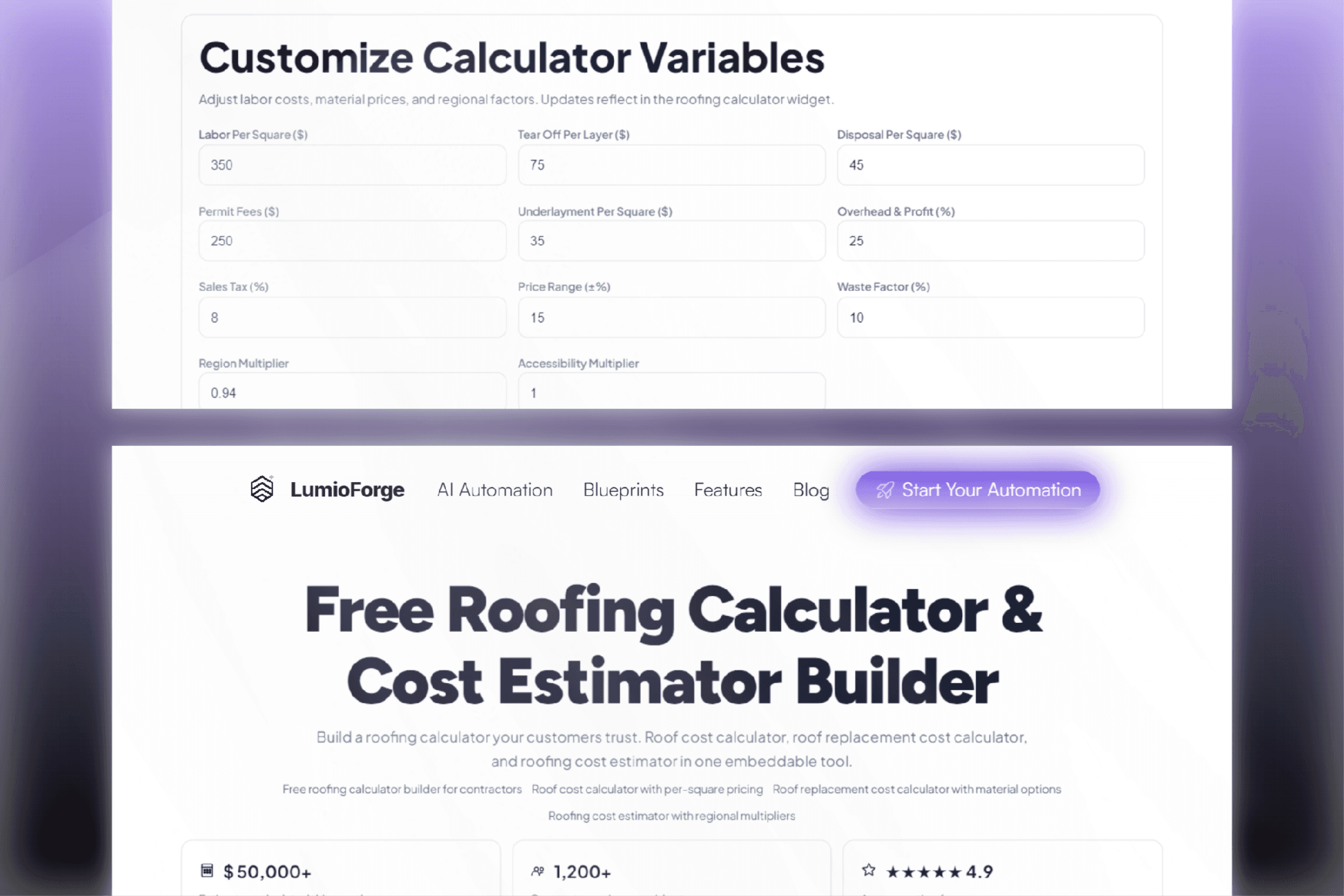
That is why LumioForge’s tool library includes calculators for roofing estimates and a response audit for the communication process behind those estimates. You can explore the full Free Roofing Tools page here.

For a deeper follow-up cadence, you can also read: Roofing Lead Follow-Up: How Many Times Should You Contact a Homeowner?

Where LumioForge fits

LumioForge is not meant to replace your roofing team.

It is meant to sit around the lead flow you already have, so new estimate requests get touched fast, follow-up does not depend on memory, and homeowner replies do not disappear into separate inboxes or phones.

The first pilot is intentionally simple:

New estimate request → fast first email reply → follow-up if there is no answer → stop when the homeowner replies → office handoff in one thread.

If you want to see where your own lead response process is leaking, start with the Free Roofing Lead Response Audit.

If you already know the process needs fixing, apply for the Free Roofing Pilot and get your lead-source intake, email-first response flow, follow-up sequence, stop-on-reply logic, and office handoff mapped for your roofing company.

Get your after-hours response flow set up

Most roofing teams do not need a more complicated sales process.

They need a clean first reply, consistent follow-up, visible homeowner replies, and a handoff that does not depend on memory.

LumioForge helps roofing companies respond faster to inbound estimate requests, follow up until homeowners reply, and keep email/SMS conversations visible in one shared thread.

If you want this mapped around your actual roofing office flow, apply for the Free Roofing Pilot.

You can also run the Free Roofing Lead Response Audit first if you want to diagnose the process before applying.

Sources and related reading

Be the Roofer They Stop For

Stop losing leads

This week

Apply for the Founders Pilot (2 installs this month)

We only onboard a limited number of roofing companies each month so every response system can be configured and QA’d properly.
Questions before claiming a spot? Email admin@lumioforge.com

Limited Monthly Onboarding

Be the Roofer They Stop For

Stop losing leads

This week

Apply for the Founders Pilot (2 installs this month)

We only onboard a limited number of roofing companies each month so every response system can be configured and QA’d properly.
Questions before claiming a spot? Email admin@lumioforge.com

Limited Monthly Onboarding

Be the Roofer They Stop For

Stop losing leads

This week

Apply for the Founders Pilot (2 installs this month)

We only onboard a limited number of roofing companies each month so every response system can be configured and QA’d properly.
Questions before claiming a spot? Email admin@lumioforge.com

Limited Monthly Onboarding