Guide on a Free Tool
Roofing Calculator Guide: Squares & Bundles | LumioForge
Date
Author
LumioForge Roofing Response Team
Roofing Calculator Guide: Fast, Transparent Squares, Pitch & Bundles
A roofing calculator is not a replacement for an inspection.
It is a fast starting point.
Homeowners use calculators because they want quick clarity before they call a contractor. Roofing companies can use them to create better conversations, better lead intent, and cleaner follow-up.
The best calculator experience helps a homeowner understand the basics:
approximate roof size
pitch or slope
estimated roofing squares
shingle bundles
waste allowance
rough project range
Then it should move them toward the next real step: a roof inspection or quote conversation.
Quick answer
A roofing calculator should give a homeowner a simple estimate range and then explain that final pricing depends on an on-site inspection.
The calculator should not pretend to know everything. It should help the homeowner understand the project enough to start a serious conversation.
If your calculator already attracts visitors, the next step is follow-up. The full guide on roofing lead follow-up explains how to turn calculator submissions into booked inspections.
What a roofing calculator should estimate
A useful roofing calculator usually estimates one or more of these things:
Calculator type | What it helps with | Useful next step |
|---|---|---|
Roof pitch calculator | Slope, pitch, and roof complexity | Explain access and difficulty |
Roof area calculator | Approximate size of the roof | Estimate squares and materials |
Shingle bundle calculator | Number of bundles needed | Discuss material assumptions |
Waste calculator | Extra material needed for cuts and complexity | Explain why waste varies |
Cost calculator | Low / likely / high range | Book an inspection to verify |
For example, a homeowner can use a roof pitch calculator to understand slope, then use a shingle bundle calculator to estimate materials.
That is useful, but it is still only a rough planning tool.
Why homeowners like calculator pages
Calculator pages work because they answer a question the homeowner already has.
They may be thinking:
“How steep is my roof?”
“How many shingles would this take?”
“How much waste should I expect?”
“Is this a small repair or a bigger project?”
“What should I ask a contractor?”
A calculator gives them something immediate. That creates trust faster than a page that only says “contact us for a quote.”
The calculator does not need to close the job by itself. It needs to make the next step feel easier.
The calculator should show a range, not one fake exact number
Roofing jobs vary too much for one instant number to be perfect.
A better calculator output is a range:
low estimate
most-likely estimate
high estimate
That gives the homeowner useful context without pretending the calculator can replace a real roof inspection.
A safe note near the estimate:
This is an instant at-home estimate. Final pricing depends on an on-site inspection, roof access, code or permit requirements, material availability, and the final scope of work.
That kind of note protects trust. It explains why the online estimate may change after the roof is actually inspected.
Inputs to keep simple
Do not make the calculator feel like a long form.
Start with the inputs that matter most:
roof size or home size
roof pitch if known
material type
number of stories
tear-off or overlay assumption
roof complexity
ZIP code or service area if pricing varies by region
If the homeowner does not know the pitch, link to the roof pitch calculator or let them choose a simple option such as low, medium, or steep.
If they are estimating asphalt shingles, link to the shingle bundle calculator so they can understand material quantity before asking for a quote.
Do not hide the assumptions
The calculator should explain what it is assuming.
Helpful assumptions include:
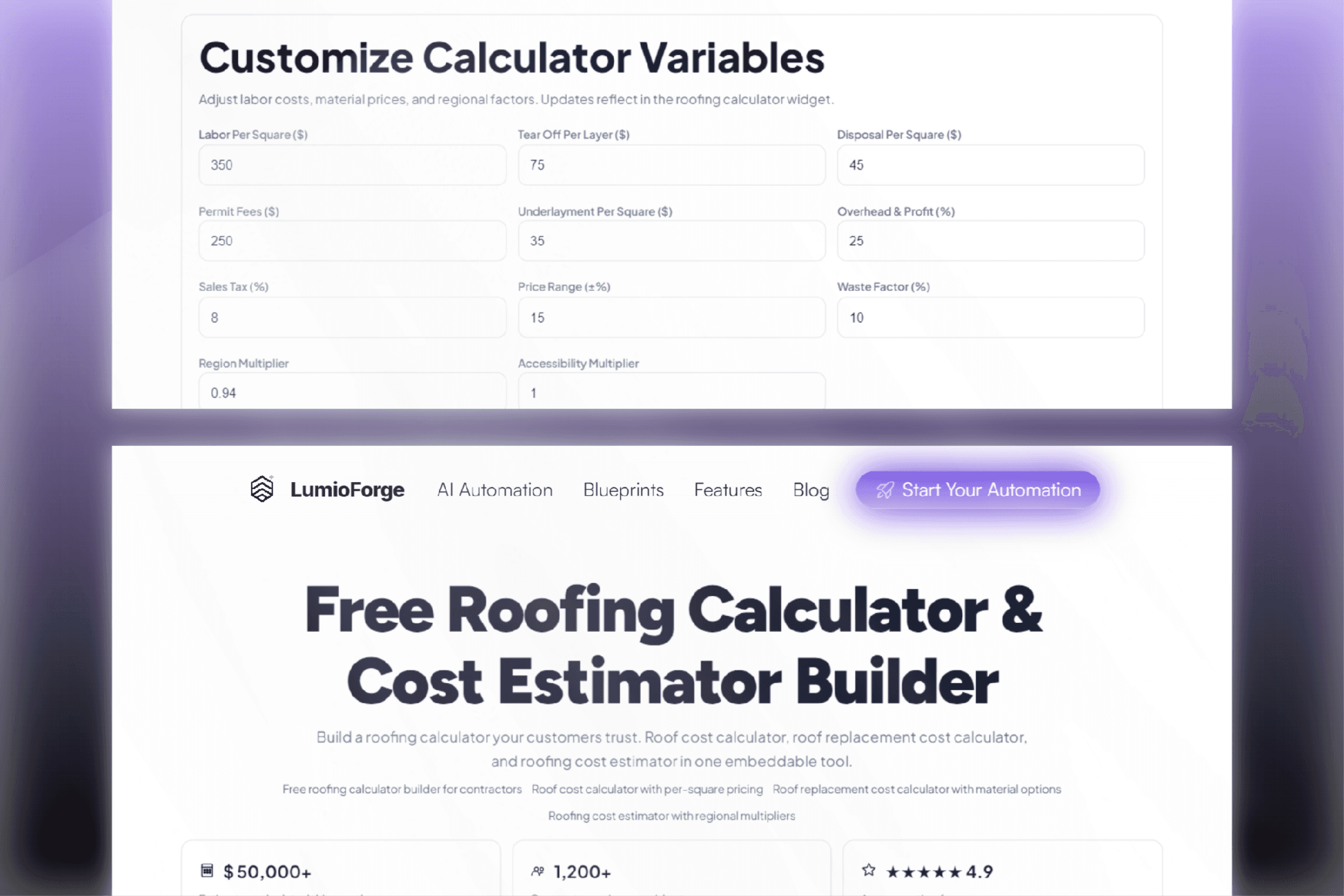
waste percentage
material type
labor range
pitch multiplier
tear-off assumption
disposal assumption
permit or code exclusions
whether gutters, decking, flashing, or repairs are included
This makes the estimate feel more transparent.
It also gives your team a better opening when they follow up:
The calculator gave a rough range based on the information entered. The inspection helps us confirm pitch, layers, access, decking, flashing, and the final scope.
How to use calculator leads in follow-up
A calculator lead should not receive the same message as a generic contact form lead.
They already showed what they care about.
If they used a pitch calculator, they may be thinking about complexity.
If they used a bundle calculator, they may be thinking about materials.
If they used a cost calculator, they may be trying to understand budget.
Use that context in the first message:
Thanks for using the roofing calculator. The estimate is a starting point, but we can help verify the actual scope. Are you available today or tomorrow for a quick inspection call?
That message connects the follow-up to the action they already took.
If the lead comes in after hours, use the workflow from after-hours roofing leads so the homeowner still gets a quick response.
Where to paste calculator code
If you are adding a calculator to your own website, the exact process depends on the website builder.
Wix
Use an Embed HTML element on the page where you want the calculator to appear.
In the Wix editor, add an embed or code element, paste the calculator snippet, publish the page, and test the live version.
Squarespace
Add a Code Block to the page and paste the snippet.
Some scripts may not run in the editor preview, so check the live page after publishing.
WordPress
Use a Custom HTML block in the Gutenberg editor.
If WordPress strips the script, make sure you are using an admin account with permission to add custom HTML and scripts.
Webflow
Use a Custom Code Embed element on the page.
Paste only the calculator snippet. Do not include full HTML document tags such as <html>, <head>, or <body>.
Shopify
Use a Custom Liquid section or block.
Paste the snippet where you want the calculator to appear, save, publish, and test the live page.
Framer
Use an Embed component or custom code block depending on your setup.
Publish the page and test the live version, since editor previews may not always behave like the published site.
What homeowners should see
A good calculator page should feel simple.
The homeowner should be able to:
choose a roof material
enter roof size or project details
select pitch or complexity if known
add location if useful
see a low / likely / high range
submit contact information for the next step
The homeowner gets quick clarity.
Your team gets a better starting point for the follow-up conversation.
The calculator is only the first step
A roofing calculator can help create more estimate requests, but it does not solve the larger follow-up problem by itself.
The bigger questions are:
What happens when someone submits the calculator?
Does someone respond immediately?
Does the lead go to the right person?
Does the homeowner get a clear next step?
Does your team follow up if they do not answer?
Does automation stop if they reply?
Does anyone get alerted if the reply is missed?
That is why calculator pages and follow-up pages should work together.
A better roofing lead workflow looks like this:
A simple checklist for calculator pages
Before publishing a calculator page, check this:
The calculator is easy to use on mobile.
The result is shown as a range, not one exact promise.
Assumptions are explained clearly.
The page links to related tools.
The page has a clear CTA after the result.
Calculator submissions trigger fast follow-up.
Replies stop automation.
Booked inspections are tracked.
The calculator should not be a dead end. It should be a bridge between curiosity and a real roofing conversation.
Bottom line
A roofing calculator is useful because it gives homeowners quick clarity.
But the real value comes from what happens next.
Use the calculator to answer the homeowner’s first question, then use follow-up to help them take the next step. When the calculator, message, inbox, and booking process are connected, the page becomes more than a tool. It becomes part of the lead workflow.