How the Roofing Response Layer Works
When a new roofing lead comes in, LumioForge acknowledges it fast, follows up until the homeowner replies, and keeps every message in one thread so your team can take over cleanly.
Core workflow
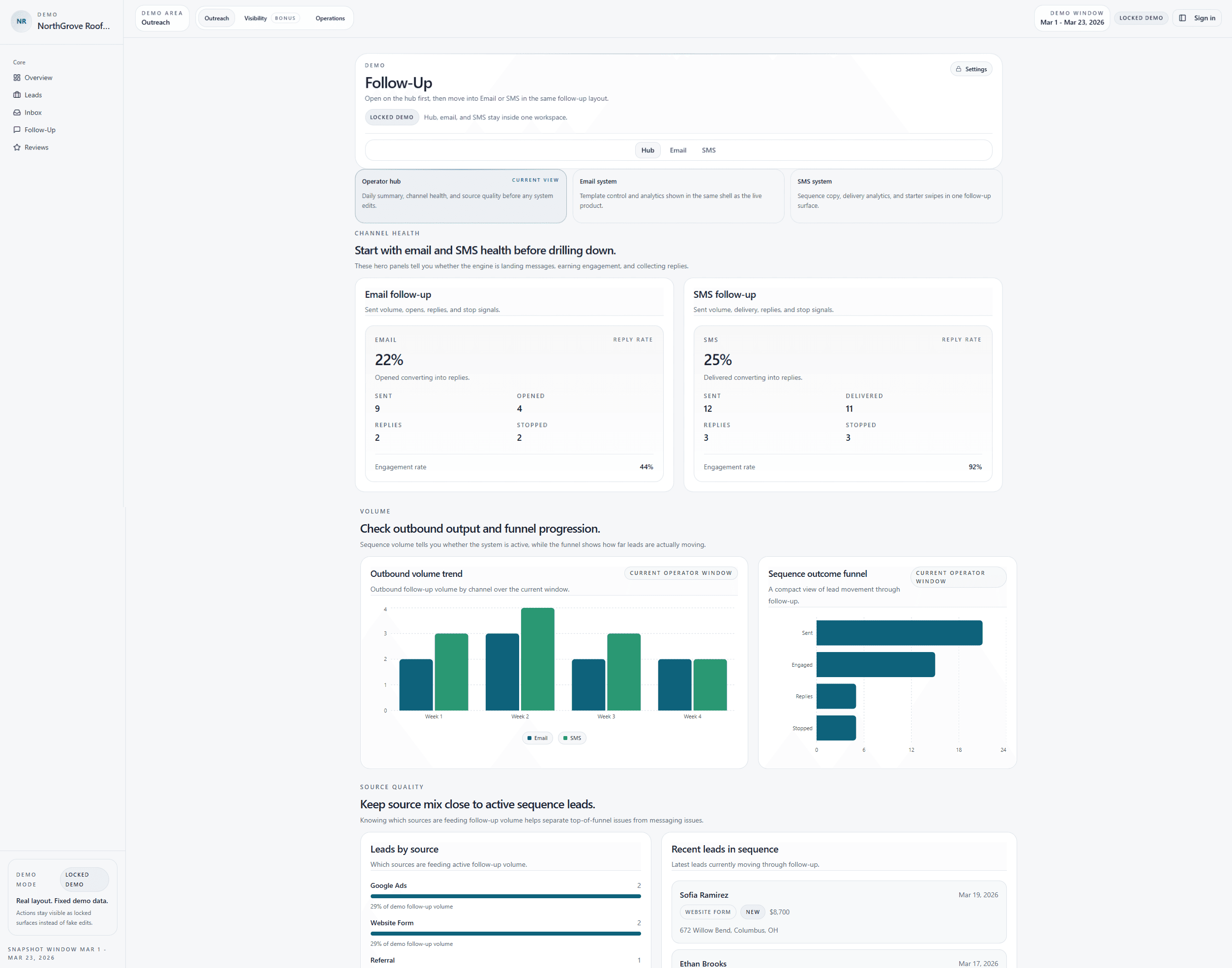
Reply fast, follow up if there is no answer, stop when the homeowner replies, and help the right person take over.
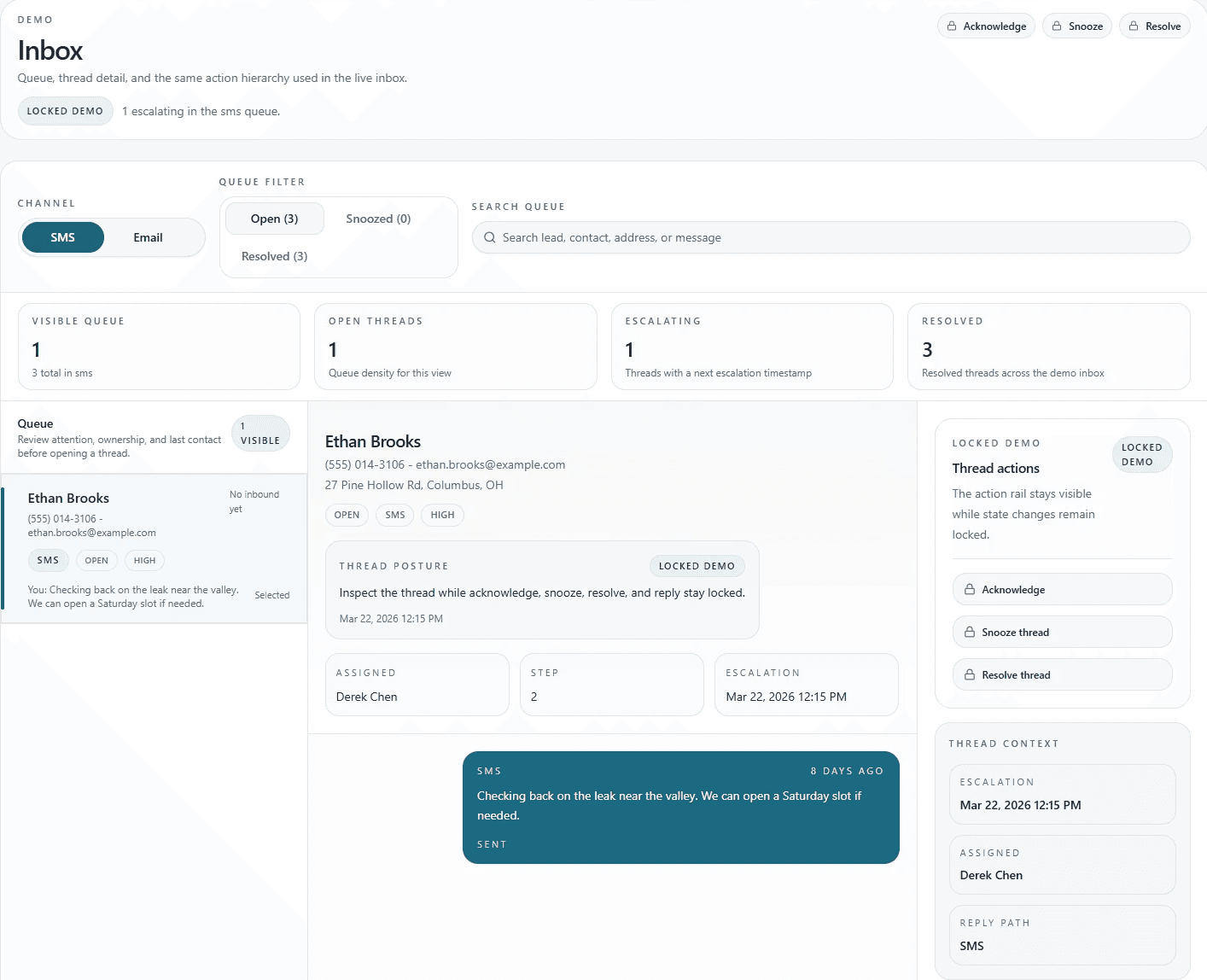
When the homeowner replies, your team takes over in the same thread
No switching systems. No copy-pasting context. No guessing who handled the lead. Every inbound and outbound message lives in one conversation timeline, with ack, snooze, and resolve states for day-to-day roofing office work.
Know what’s working
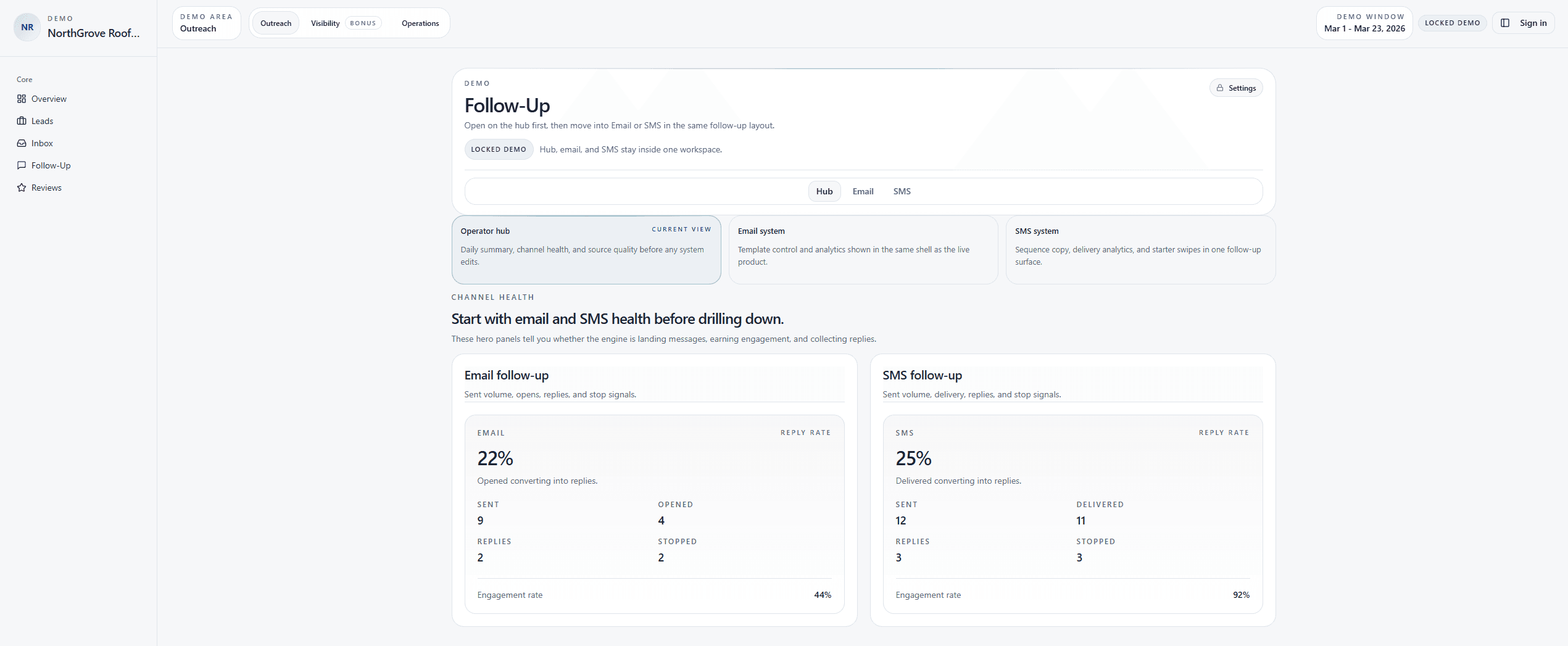
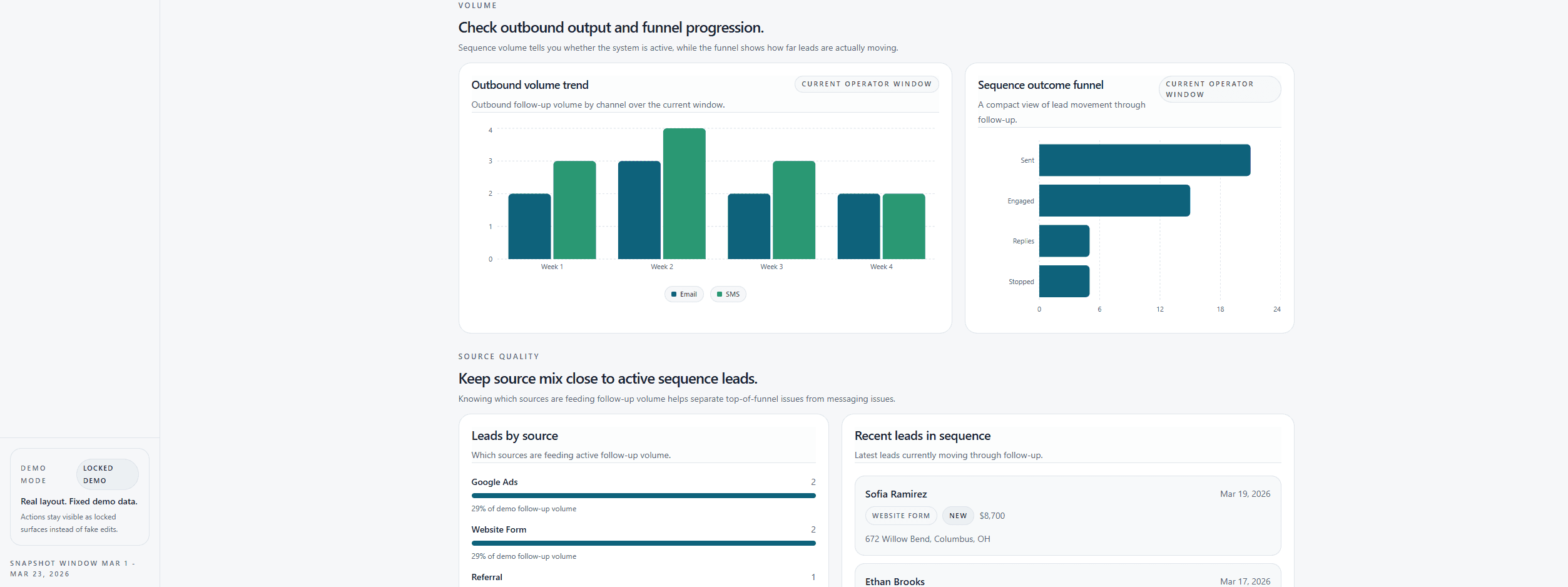
Track replies by source, see follow-up health, and spot what needs action without digging through phones or inboxes.
Follow-up that does not depend on memory
If the homeowner does not answer, follow-up keeps going. When they reply, follow-up stops.
Email-first by default. SMS can be added after setup and costs are clear.
Reach them before they move on
The first touch goes out fast, during business hours, so you’re not losing hot leads while the day gets busy.
Core workflow
After closeout, review requests can start
When the job is done, LumioForge can continue the communication lifecycle with review-request follow-up so completed work turns into fresh trust.
Closeout triggers review flow
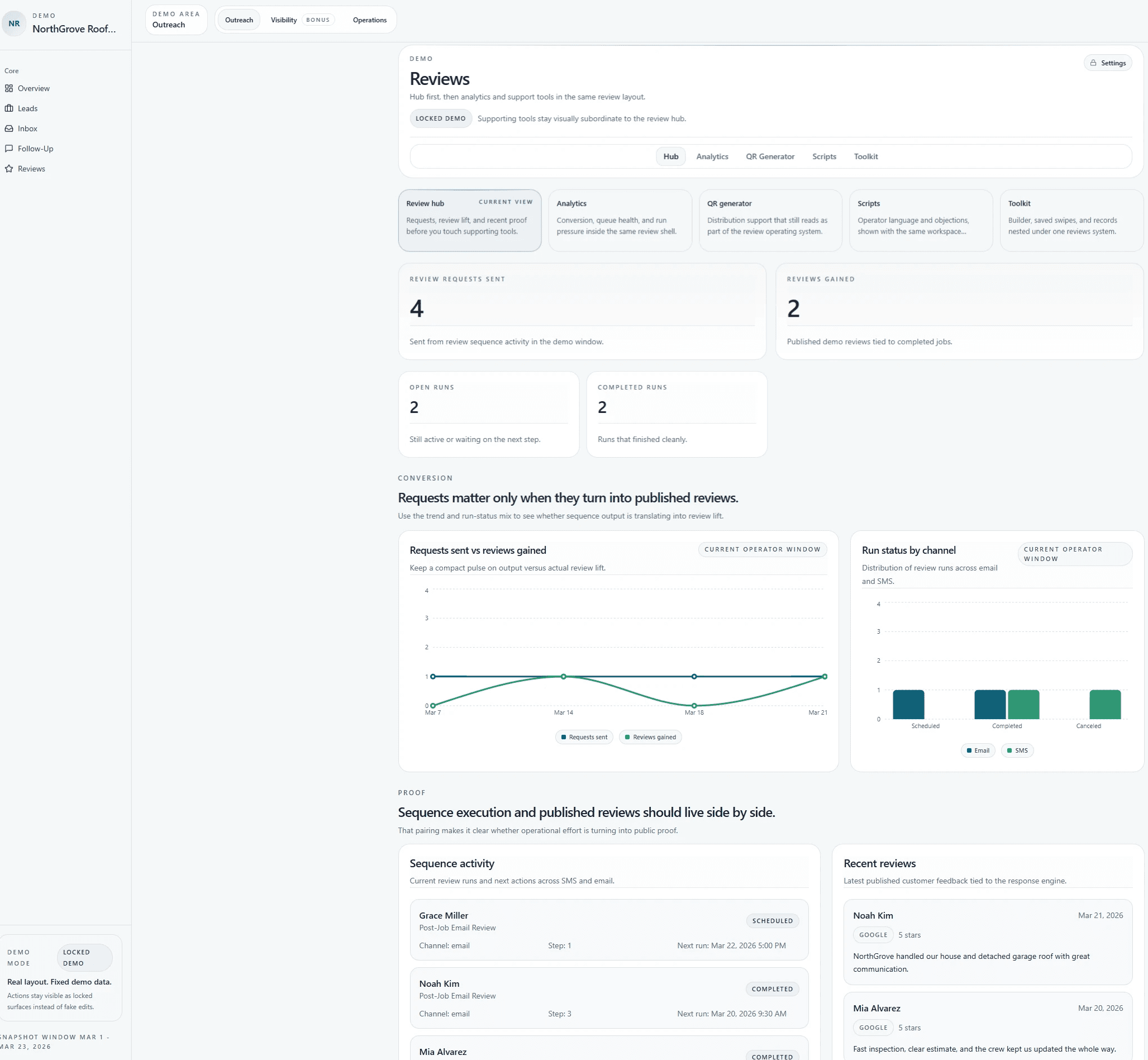
Completed jobs can move straight into a structured review sequence. Your team can see requests sent, reviews gained, open runs, completed runs, and recent published reviews in one place.
Requests stay visible
Review outreach does not disappear into a one-off text or email.
Runs are easy to track
You can see what is scheduled, completed, or waiting on the next step.
Proof stays connected
Published reviews sit next to the same operating data that created them.
Core workflow
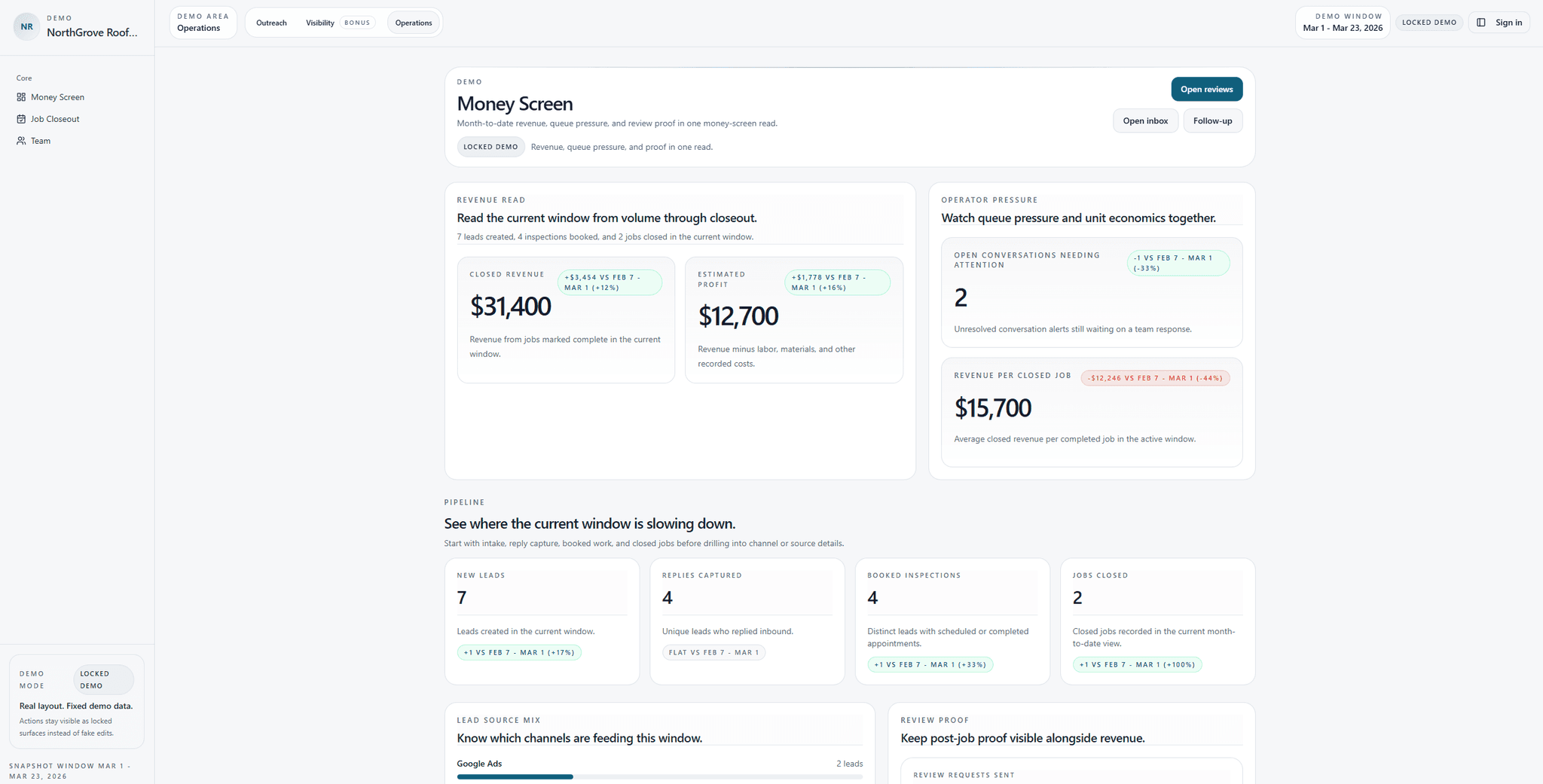
See lead pressure, booked inspections, closeouts, and revenue in one place
The goal is not just a nicer dashboard. It is a clearer picture of what came in, what got booked, what got finished, and where revenue is actually coming from.
Data that matters
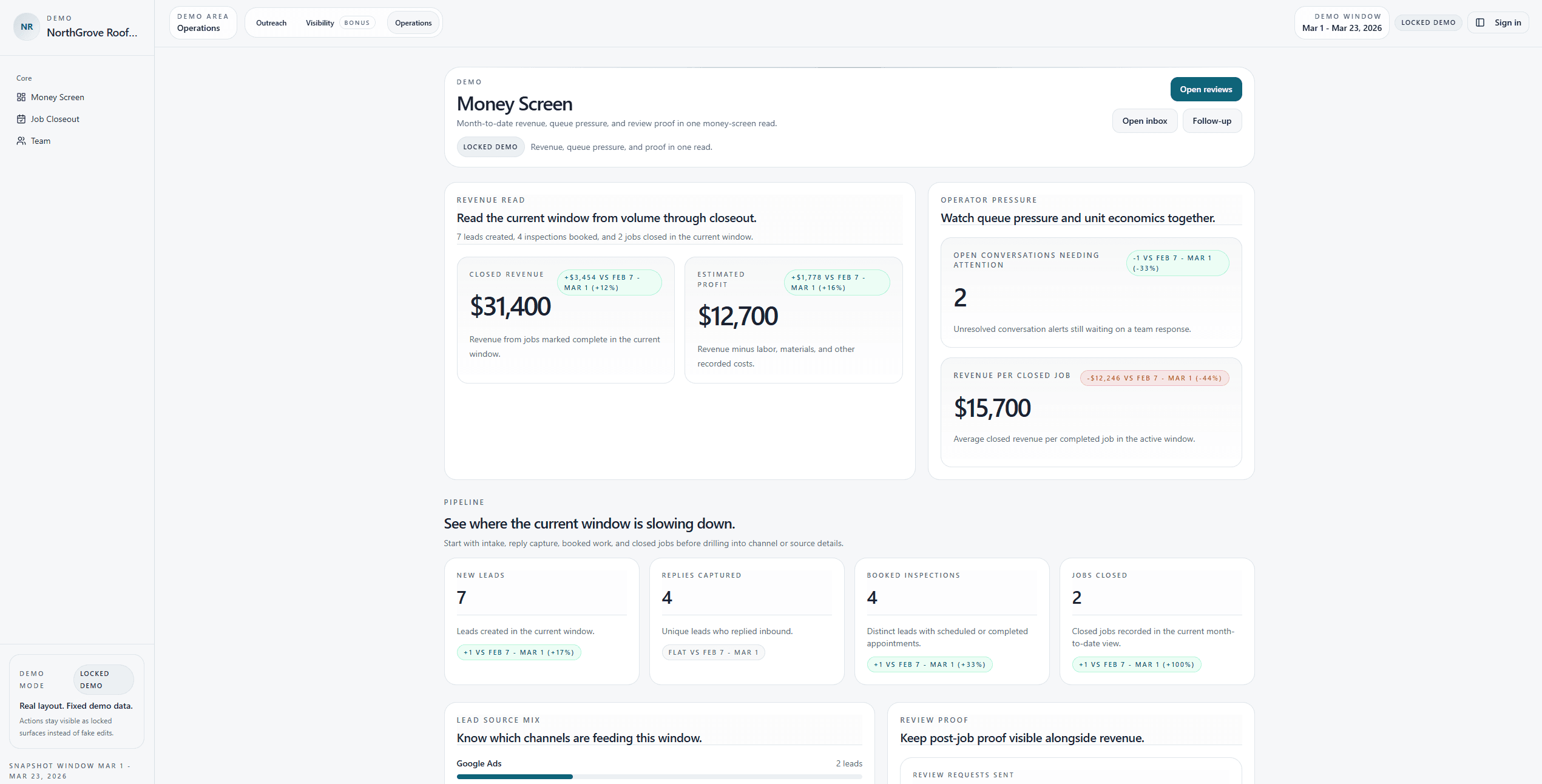
Instead of jumping between inboxes, spreadsheets, and memory, the Money Screen shows lead flow, replies captured, booked inspections, review proof, queue pressure, closed revenue, and estimated profit in one place.
See where things are slowing down
Spot whether the issue is intake, reply capture, booked work, or closed jobs.
Track pressure before it turns into missed work
Open conversations and queue pressure stay visible.
Keep revenue tied to execution
Booked work, closeout activity, and review proof stay in the same place.
Setup
How setup works
We set up the Response Engine around the way your team already works.
Book a short fit call
We review where estimate and inspection requests arrive, how your team responds now, and whether LumioForge is a practical fit.
We set up the response layer
If you decide to proceed, we book onboarding, create your private setup workspace, and collect the information required for the agreed workflow.
Test and approve go-live
LumioForge configures and tests the email-first workflow. Nothing goes live until your company explicitly approves it.
Your first free month begins on the approved go-live date. Paid service begins only if you later explicitly agree to continue.
Team Coverage First
Why roofers use this even with office staff
This is not about replacing people. It is about giving your team a response system that still works after hours, during storms, and when volume spikes.
Covers nights and weekends
A person cannot reply while they are on a roof, driving, or buried in jobs. The first touch goes out automatically so new leads do not sit until tomorrow.
Doesn’t rely on perfect memory
Handles storm spikes better
Keeps context in one thread
Reduces owner bottlenecks
Turns closeout into review follow-up
FAQ Section
Questions, Answers
Get quick answers to your most pressing questions

Founding Pilot
1–2 roofing companies this month
LumioForge is a live working product, but we are still before public roofing case studies. That is why the first 1–2 roofing companies get free setup and the first month free.
What does LumioForge do?
LumioForge helps roofing companies reply to new estimate requests, follow up when homeowners do not answer, stop follow-up when they reply, and keep the conversation visible for the office, owner, and reps.
Do I need to replace my CRM?
What happens when a homeowner replies?
Will this spam my leads?
Does it work after hours?
Can my office or rep take over the same thread?
How fast can we launch?
What happens after the job is done?
What do you need from us?
Is SMS included?
What happens after the free month?